


Modern IT teams face many challenges. They need clear rules to keep their work top-notch. This is true for all projects and systems they handle.
A technology playbook is like a detailed guide. It has all the processes and strategies needed. It gives step-by-step instructions so everyone does things the same way.
This guide helps teams work better and faster. It’s like a sports playbook but for IT. It gives a clear plan for technical tasks.
Having a playbook helps keep things consistent. It keeps the team’s knowledge and skills up to date. The IT playbook is key for solving today’s tech problems and keeping skills sharp.
These guides hold best practices that work in real life. They grow with new tech and the team’s needs. They are always changing to meet new challenges.
What Is a Playbook in Technology: A Complete Definition
To understand a technology playbook, we need to look at its concept and history. It has changed from simple guides to advanced tools for IT excellence.
Defining a Playbook in the IT Context
A technology playbook is a set of standardised procedures for IT operations. It’s different from general business playbooks, focusing on technical processes and system management.
These playbooks are key for keeping IT activities consistent. They guide both everyday tasks and special situations. They are vital for technology teams.
Today’s IT playbooks have detailed instructions and best practices. They grow with technology and organisational needs.
Related Posts:






Historical Background and Evolution
The idea of playbooks has changed a lot in technology. This change shows how organisations now manage IT and keep operations consistent.
From Sports Analogies to Business Applications
Playbooks started in sports, where coaches planned strategies for games. This method focused on preparation and predictable actions.
Business leaders saw the value in this approach and applied it to their work. This move from sports to business changed how organisations plan operations.
At first, business playbooks were for sales and marketing. But as technology became key, IT leaders created their own playbooks.
Key Milestones in IT Playbook Adoption
Important events have shaped today’s use of playbooks in IT. The 1990s saw playbooks become part of ITIL frameworks, standardising IT service management.
The early 2000s brought DevOps, which made playbooks even more important. DevOps focused on automation and consistency, making playbooks essential.
In recent years, playbooks have become critical for cybersecurity. They help organisations quickly respond to security threats.
Today, technology playbooks are the result of years of improvement. They keep evolving to tackle new challenges in cloud computing, AI, and remote work.
The Importance of Playbooks for Modern IT Teams
In today’s fast world, IT teams must work quickly and efficiently. Playbooks help them do this by turning messy workflows into clear steps. This makes operations reliable and consistent.
Enhancing Operational Efficiency and Consistency
Playbooks remove the guesswork from daily tasks. They give clear steps for common IT jobs, so everyone does things the same way.
This makes teams work better together. They spend less time figuring out how to solve problems. This means they can focus more on solving them. With fewer variations, results become more predictable and easy to measure.
One technology director said:
“Standardisation is perhaps the most significant benefit that playbooks bring to incident management. Without standard procedures, organisations often face inconsistent responses. This can lead to confusion, delays, and even major oversights.”
Reducing Human Error and System Downtime
Human mistakes are a big reason for IT problems. Playbooks help by setting clear rules for important tasks.
When team members know exactly what to do, mistakes go down. This means less unplanned downtime and fewer service breaks.
Playbooks also help find problems faster. If something goes wrong, teams can quickly see where things went off track. This helps improve the playbook itself.
Case Study: Impact on Incident Resolution Times
Studies show big wins for teams using standardised playbooks. They found:
- 45% faster mean time to resolution (MTTR)
- 62% fewer repeat incidents
- 38% better service availability
These results show how playbooks boost performance. They keep service quality high, even when teams grow or change.
Teams that focus on playbooks see big benefits. They work more efficiently and save money. They can handle more work without needing more staff or resources.
Core Components of an Effective IT Playbook
Creating a solid IT playbook needs careful thought about key elements. These parts work together to form a reliable guide for technical teams. They help navigate different situations while keeping operations top-notch.
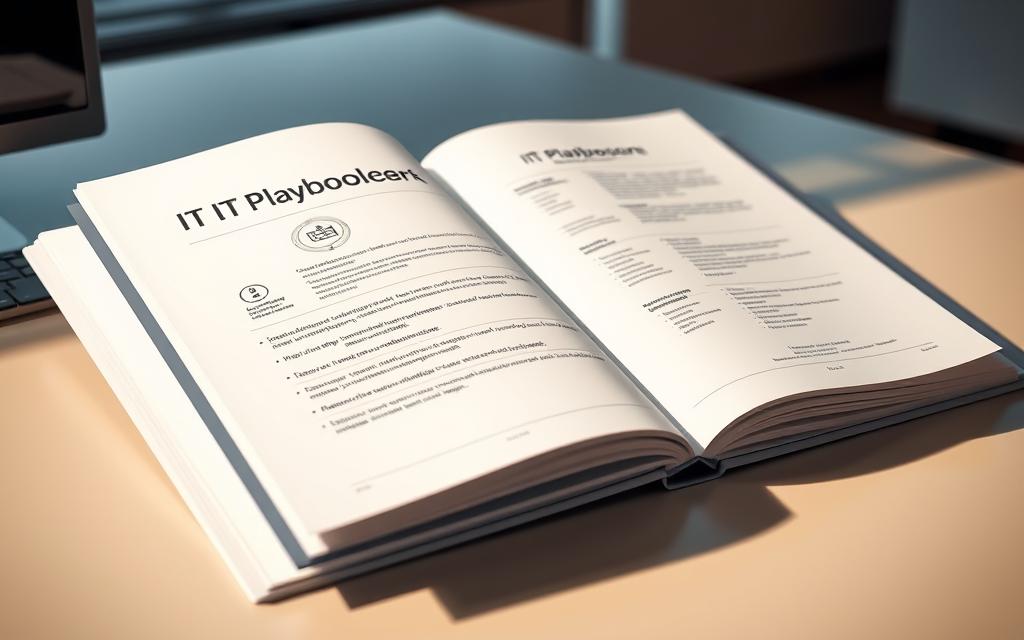
Standard Operating Procedures (SOPs)
At the core of an IT playbook are detailed SOPs. These step-by-step guides offer clear instructions for technical tasks and solving problems. Good SOPs make complex tasks easy and repeatable.
Effective SOPs include specific commands, setup details, and troubleshooting steps. They cut down on uncertainty and offer a consistent way to solve problems. Anyone researching playbook standardized procedures may also want to understand nanometer scale semiconductor design before deciding on the best option. Teams can follow these steps with confidence, knowing they're using best practices.
In urgent situations, having clear SOPs is invaluable. They help speed up problem-solving when emergencies strike.
Clearly Defined Roles and Responsibilities
A good playbook clearly states who does what in each procedure. This clarity stops confusion and makes teamwork smoother. Everyone knows their role and how they contribute.
Role definitions should cover technical tasks and communication. Team members need to know their duties and who to contact. This ensures a smooth workflow.
Establishing Accountability in Processes
Accountability is key in defining roles. The playbook should name primary and backup contacts for each task. This avoids duplication and ensures tasks are covered when needed.
Clear accountability boosts process quality and ownership. When people know they’re responsible, they focus more. This makes tracking performance and improving easier.
Integrated Tools and Technologies
Modern IT playbooks must list the tools teams use every day. This makes theoretical steps into real actions. The playbook should include software names, versions, and how to access them.
Tool integration goes beyond listing them. Good playbooks offer setup guides, API details, and troubleshooting tips. They might include screenshots or command templates.
This part ensures teams can apply procedures with the tools they have. It connects theory to practice, making the playbook useful in real situations.
When all these parts come together, they form a strong operational framework. SOPs guide the way, roles ensure proper execution, and tools make it practical. This mix leads to consistent results, no matter the team or external pressures.
Types of Playbooks in Technology Environments
Technology environments use different playbooks for various needs. These documents help handle specific situations in a structured way. They keep IT operations consistent.
Incident Response and Management Playbooks
An incident response playbook is key for dealing with system problems and security breaches. It outlines steps for spotting, stopping, and fixing technical issues.
Teams follow these steps to reduce downtime and avoid more damage. This ensures everyone knows their part in urgent situations.
Onboarding and Offboarding Procedures Playbooks
Employee transition playbooks standardise IT access and system permissions. They cover setting up new staff and removing old ones.
For leaving employees, the playbook ensures access is removed and data is protected. This keeps security high and admin tasks simple.
Security and Compliance Playbooks
A security playbook gives detailed plans for fighting cyber threats and following rules. It’s like a guide for cybersecurity experts.
It includes instructions, decision trees, and standard workflows. This ensures responses are consistent and effective in security situations.
Examples: GDPR and HIPAA Compliance Frameworks
Regulatory playbooks help meet legal needs. GDPR frameworks cover data protection and breach notices in Europe.
HIPAA playbooks protect health information in healthcare. Both provide clear rules for daily operations.
These documents are unique because they focus on laws and security. They are vital for today’s organisations facing cyber threats.
Creating a Playbook: Steps for IT Teams
Creating an effective IT playbook needs a clear plan. It turns your team’s knowledge into useful guides. The process has three main steps to keep your playbook up-to-date.
Step 1: Identifying Key Processes and Scenarios
Start by listing your most important tasks. Focus on things that affect service, security, or follow rules. This includes handling incidents, setting up systems, and regular checks.
Get everyone in your team involved in this step. Different views help spot missing areas and make sure everything is covered. Think about both common tasks and rare but important ones.
“The most effective playbooks address both daily routines and emergency situations, creating resilience across all operational contexts.”
Sort tasks by how risky they are and how often they happen. High-risk tasks should be tackled first. Less urgent tasks can come later.
Step 2: Documenting Procedures and Workflows
Good documentation is key to a successful playbook. Write each step clearly so everyone can follow it, no matter their experience.
Include all the details about tools, settings, and when to make decisions. This stops confusion and ensures the same results every time.
Best Practices for Clear Documentation
Use simple words and avoid complicated terms unless needed. Organise information well with clear headings and the same style throughout.
Add pictures and diagrams when they help. They make complex workflows easy to understand without long texts.

Use the same format for all procedures. This makes it easier for team members to find what they need quickly, even when things are busy.
| Documentation Element | Purpose | Best Practice Example |
|---|---|---|
| Step-by-step instructions | Guides through complex tasks | Numbered list with action verbs |
| Screenshots/visual aids | Clarifies interface interactions | Annotated images with callouts |
| Troubleshooting section | Addresses common issues | Table of errors and solutions |
| Version history | Tracks changes and updates | Date-stamped revision log |
Step 3: Reviewing and Testing the Playbook
Testing in real situations makes a playbook effective. Do practice runs with your draft procedures.
Get feedback from all who tested it. The people doing the work often know best what works and what doesn’t.
Update your playbook based on what you learn. Fix unclear parts, add missing steps, and adjust times based on how things go.
Start a regular check-up from the start. This keeps your playbook current with new tech and changes in your team. Many teams use guides from the business playbook library.
Creating a playbook is a journey. Your first version won’t be perfect, but keeping at it will bring big benefits over time.
Implementing Playbooks in IT Operations
Deploying playbooks needs careful planning and action. This phase turns written plans into real tools teams use every day.
Integration with Existing Systems and Tools
Start by making playbooks fit with your current tech. They should enhance, not hinder, your work flow.
Link playbooks with ticketing systems, monitoring tools, and team platforms. This makes them a natural part of your work, not extra work.
Make sure playbooks are easy to find. Keep them in one place where everyone can get to them when needed.
Training and Onboarding Team Members
Good training turns playbooks into useful tools. It teaches both the technical and strategic sides of playbooks.
Choose a few team members to be playbook experts. They help others and make sure everyone uses them right.
Explain how playbooks help. Show how they make work easier, tasks simpler, and services better.
Strategies for Effective Training Programmes
Teach with both theory and practice. Use real-life examples and simulations to make learning stick.
Offer training that fits each role. Different people need different ways to learn about playbooks.
Keep training going with regular updates. It’s not just a one-time thing, but an ongoing process.
Check how well training works. Use feedback and tests to make your training better and more effective.
Benefits of Using Standardised Playbooks in IT
Standardised playbooks change how IT teams work. They bring big wins in many areas. These plans make teams better and work smoother.
Improved Consistency and Service Quality
Playbooks make sure everyone does things the same way. This stops problems that come from different ways of doing things.
Customers get the same great service no matter who they talk to. Teams can keep promises because they follow the same steps.
Playbooks keep quality high, even when teams change. New people learn fast because everything is clear.
Cost Savings and Resource Optimisation
Playbooks cut down on time lost solving problems. They help avoid mistakes that cost a lot to fix.
Teams work better together when they follow the same steps. IT gets more done with the same people.
Training costs go down because playbooks teach on their own. The cyber security playbook benefit shows how it saves money on security issues.
Scalability for Growing Organisations
Playbooks help teams grow without a hitch. New people learn fast and fit in well.
Expanding to new places is easier when everyone does things the same way. It keeps the brand and service top-notch everywhere.
Adding new tech is simple with clear playbooks. Upgrades go smoothly because everything is based on the same rules.
Companies that use playbooks adapt quickly to new situations. They grow without losing quality or getting slower.
Common Challenges and Solutions in Playbook Adoption
Using playbooks in IT can be tough. The benefits are clear, but teams face many challenges. These can make it hard to use them well.
Two big challenges come up when teams try to use playbooks. They need smart solutions to overcome these and work smoothly.
Overcoming Resistance to Change Among Staff
IT pros like solving problems their own way, not following rules. This makes them resist using playbooks.
To manage change well, IT leaders must tackle both practical and emotional issues. They should show how playbooks help, not limit, staff.
Good strategies include:
- Getting team members involved in making playbooks
- Teaching them how playbooks save time
- Prizing and celebrating when they work well
- Listening to feedback to keep improving
Starting small helps. Begin with easy tasks to build trust before tackling harder ones.
Maintaining and Updating Playbooks Regularly
Playbooks need regular updates to stay useful. New tech and changes in the company mean they must always be current.
Having someone in charge keeps playbooks up to date. This person makes sure the information is right and useful.
Regular checks keep playbooks fresh. Doing this every few months helps catch and fix outdated info.
Tools for Version Control and Continuous Updates
Today’s tools make keeping playbooks easy. They help avoid mistakes and keep track of changes.

| Tool Category | Primary Function | Integration Capabilities |
|---|---|---|
| Document Management Systems | Version tracking and access control | CRM and ticketing systems |
| Collaboration Platforms | Real-time editing and commenting | Project management tools |
| Automated Workflow Tools | Change notification and approval processes | Monitoring and alerting systems |
These tools send out alerts when changes are made. They work well with other IT systems, making updates smooth.
Cloud-based tools let teams work together from anywhere. This helps teams spread out while keeping documents the same.
Having clear rules for updates stops problems. Approval steps ensure changes are checked before they’re used.
Best Practices for Maintaining IT Playbooks
Keeping your IT playbooks up to date is key. Without regular updates, even the best playbooks can become outdated. It’s important to have a plan to keep your documentation current as technology and processes change.
Conducting Regular Reviews and Revisions
Regular checks are essential for maintaining playbooks. Teams should review their documentation every quarter. This helps spot areas that need updates because of system changes or new threats.
Getting feedback from IT staff is also vital. They use the playbooks every day and can suggest improvements. Make it easy for them to share their thoughts or point out outdated steps.
“The most effective playbooks evolve through continuous refinement based on real-world usage and changing operational requirements.”
Using version control systems is important. Every change should be tracked with notes and dates. This keeps everyone accountable and helps with audits.
Leveraging Automation for Efficient Maintenance
Automation makes maintaining playbooks easier. Automated tools can check if the procedures match the current systems. They quickly point out any issues that need fixing.
Linking with monitoring systems makes maintenance even better. When changes happen, alerts can ask for playbook updates. This keeps the documentation up to date with operations.

Cloud-based platforms help teams work together on maintenance. They allow many people to contribute at the same time while keeping track of changes. These platforms often have features for comments and approvals.
Recommended Automation Tools and Software
There are many tools that help with playbook maintenance. These tools are designed to manage IT documentation well.
Cyware’s security platform is a top choice. It helps teams create, deploy, and manage incident response playbooks. It makes maintenance easier.
| Tool Feature | Maintenance Benefit | Implementation Complexity |
|---|---|---|
| Pre-Built Playbook Templates | Reduces initial setup time | Low |
| Low-Code/No-Code Development | Enables quick modifications | Medium |
| Flexible Trigger Mechanisms | Automates review processes | High |
| Unified Automation Framework | Centralises maintenance tasks | Medium |
| AI-Enhanced Automation | Identifies optimisation opportunities | High |
Other good tools include version-controlled wikis and IT management suites. These systems help track changes, manage permissions, and integrate with other tools. The best tool for you depends on your team and infrastructure.
Good playbook maintenance uses both regular reviews and automated tools. This mix keeps your documentation current and useful for everyday work.
Conclusion
Technology playbooks are key for today’s IT teams. They offer clear steps for everyday tasks and urgent situations. These guides help teams work better together and faster.
Good incident response playbooks are vital for managing security threats. They give teams the structure they need to act quickly. This makes teams work better together and respond faster to security issues.
Companies that use playbooks well see big benefits. They have less downtime, better service, and use resources better. These guides keep security strong and follow industry rules.
See playbooks as an ongoing investment, not just a one-off task. Keeping them up to date is important as technology changes. Good playbooks are a big part of a company’s IT culture and growth.
Using standardised playbooks changes how IT teams handle their work and crises. These guides bring the consistency and reliability needed to meet business goals. They also help reduce risks in operations.
FAQ
What is a technology playbook?
A technology playbook is a detailed guide for IT operations. It outlines best practices and standard procedures. It’s like a sports playbook, but for IT.
How does a technology playbook differ from a general business playbook?
A technology playbook focuses on IT operations. It covers technical processes, tools, and compliance. General business playbooks are broader, covering organisational strategies.
Why are playbooks important for modern IT teams?
Playbooks make IT operations more efficient and reduce errors. They help keep systems running smoothly and ensure quality. They also help teams work better together.
What are the core components of an effective IT playbook?
An effective IT playbook includes Standard Operating Procedures (SOPs). It also defines roles and responsibilities. And it integrates tools and technologies for guidance.
What types of playbooks are commonly used in technology environments?
Common types include incident response and management playbooks. There are also onboarding and offboarding procedures playbooks. Security and compliance playbooks, like for GDPR or HIPAA, are also used.
How can IT teams create an effective playbook?
Start by identifying key processes and error-prone scenarios. Document procedures and workflows in detail. Then, review and test the playbook through real-world scenarios and team feedback.
What are the best practices for implementing playbooks in IT operations?
Integrate playbooks with existing systems and tools. Provide training and onboarding for team members. Designate playbook champions and make them accessible digitally.
What benefits do organisations gain from using standardised playbooks?
Organisations see improved consistency and service quality. They save costs by reducing troubleshooting time and errors. Playbooks also help with resource optimisation and scalability.
What challenges might IT teams face when adopting playbooks, and how can they overcome them?
Challenges include staff resistance to change and the need for updates. Overcome these by clearly communicating benefits and involving team members. Use tools for version control and maintenance.
How can IT teams maintain and keep playbooks up to date?
Establish regular review schedules and use automation tools for updates. Integrate playbooks with monitoring systems. Use platforms like Cyware for version control and collaboration.
Are playbooks only useful for large organisations?
No, playbooks are useful for all sizes of organisations. They standardise procedures, reduce errors, and improve efficiency. They benefit small teams, growing companies, and large enterprises.
How do playbooks support compliance with regulations like GDPR or HIPAA?
Security and compliance playbooks provide step-by-step procedures for regulatory requirements. They ensure consistent adherence to standards and proper data handling. They also support thorough documentation for audits.